How to use Contact Export Rescue
Contact Export Rescue
Export every contact from Contacts as vCards, find the records Contacts hides, and compare with an old export.
Bought Contact Export Rescue? Sign in with the email you bought it with to download the latest version or ask me a question.
On this page
Install
Contact Export Rescue requires macOS 14 Sonoma or later, on Apple silicon or Intel. Download the ZIP from the order page or your Creem receipt. Unzip it and move the app to Applications.
The app checks for updates once a day. When a new version is ready, click Install and Relaunch. To check anytime, choose Contact Export Rescue → Check for Updates….
Allow access to Contacts
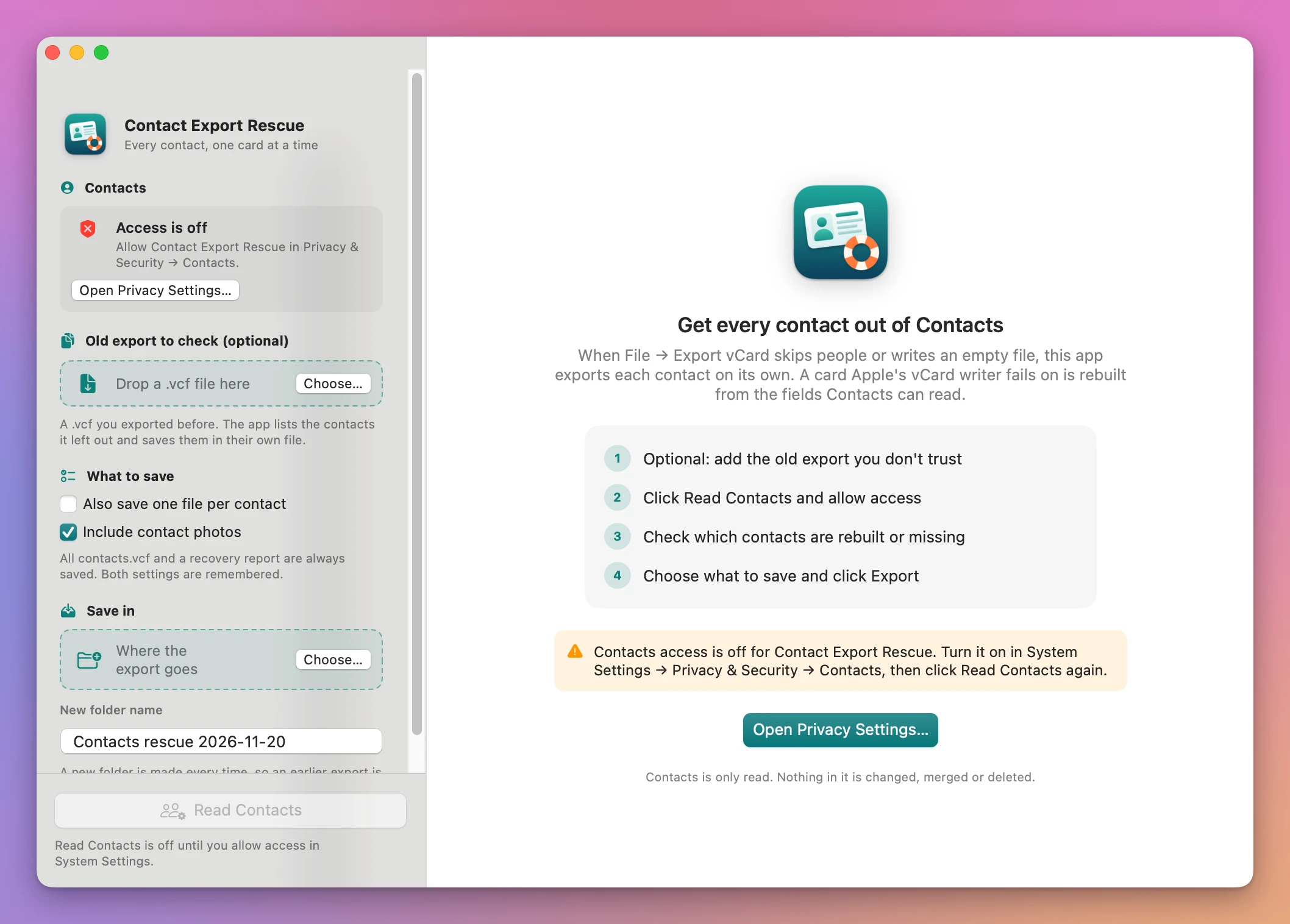
The Contacts card in the sidebar shows where things stand: Not asked yet, Access allowed, or Access is off. macOS asks the first time you click Read Contacts. Click Allow.
If you clicked Don’t Allow, the main button becomes Open Privacy Settings…. Turn the app on in System Settings → Privacy & Security → Contacts, then click Read Contacts again.
The app only reads. Nothing in Contacts is changed, merged or deleted.
Contacts that Contacts hides
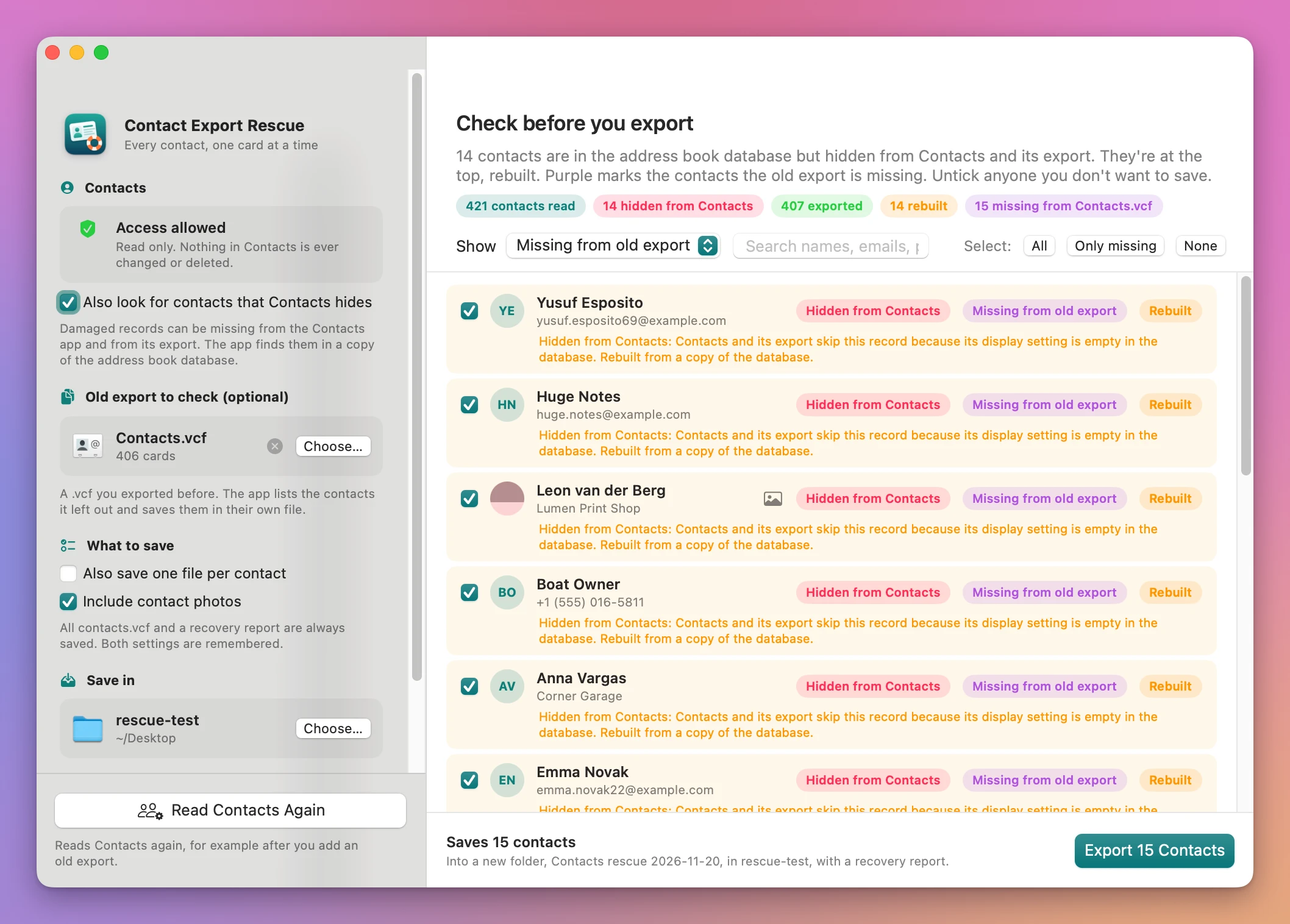
Also look for contacts that Contacts hides is ticked by default. With it on, the app looks for damaged records in a copy of the address book database, the ones that the Contacts app doesn’t show and its export leaves out. Each one it finds gets a pink Hidden from Contacts pill and is rebuilt from what’s stored in the database. The copy is only read, so the database Contacts uses isn’t touched.
macOS may require Full Disk Access for the app to read the database. If it can’t, the preview shows an orange line with Open Full Disk Access…. Allow the app there, then click Read Contacts Again. Without it, the app still exports every contact Contacts lists.
The same search fills in notes, which Contacts may give the app empty, and photos it can’t get otherwise.
Check an old export
Under Old export to check (optional), drop a .vcf or click Choose…. The card shows how many cards it has. An empty file is fine: every contact will count as missing from it. A file that isn’t a vCard file gets a plain message, and the ✕ removes it.
After reading, contacts the old file doesn’t have get a purple Missing from old export pill. Matching uses the contact’s ID in Contacts, then email, then phone number, then name. Cards in the old file that match no current contact are listed as Only in old export.
Choose who to save
The Check before you export screen lists everyone, with hidden and problem contacts at the top and the reason under each one. The pills count contacts read, hidden from Contacts, exported, rebuilt, can’t export, missing from the old export and only in the old export.
- Show narrows the list: All, Missing from old export, Rebuilt, Can’t export, Only in old export, Hidden from Contacts (only the ones that apply).
- The search field finds names, emails and phone numbers.
- Select: All / Only missing / None, or tick and untick rows by hand.
A Rebuilt contact is one Apple’s vCard writer failed on or wrote without its name, email or phone. The app wrote that card itself from the fields it could read.
Save
Under What to save, Also save one file per contact adds a .vcf for each person, and Include contact photos keeps the photos. Both are remembered.
Under Save in, click Choose… for the folder. The app makes a new folder inside it every time, named by New folder name (Contacts rescue and the date by default), so an earlier export is never replaced. Click Export N Contacts.
The folder has:
All contacts.vcf, everyone you ticked.Missing from old export.vcf, when you added an old export.One file per contact/, when you chose it.Recovery report.csvandRecovery report.md, with every contact’s result and the reason.
Show in Finder opens it. Start Over goes back to the start.
Limits
- Tested with records hidden because of an empty display setting in the database. Other kinds of damage weren’t reproduced, and leftover
.abcdpfiles aren’t read. - Tested with On My Mac contacts only. iCloud, Google and Exchange address books are read by the same code, but weren’t tested with a real account.
- Full-size photos stored as separate files aren’t read. The app uses the thumbnail in the database.
Contacts are read and saved on your Mac. The app uses the internet to check for and download updates.
Contact Export Rescue is $20, a one-time purchase.