How to use Draft to Listening Copy
Draft to Listening Copy
Turn a text or Markdown draft into numbered spoken audio files with the voices already on your Mac.
Bought Draft to Listening Copy? Sign in with the email you bought it with to download the latest version or ask me a question.
On this page
Install
Draft to Listening Copy requires macOS 15 Sequoia or later, on Apple silicon or Intel. Download the ZIP from the order page or your Creem receipt. Unzip it and move the app to Applications.
The app checks for updates once a day. When a new version is ready, click Install and Relaunch. To check anytime, choose Draft to Listening Copy → Check for Updates….
If your copy still asks for a key, download the latest version from your purchase page and replace the old app in Applications.
Prepare the files
Save your draft as UTF-8 text or Markdown. For Markdown, headings that start with one or two hash marks open chapters. Fenced code blocks are skipped and the text in links is spoken. A plain-text file produces one chapter.
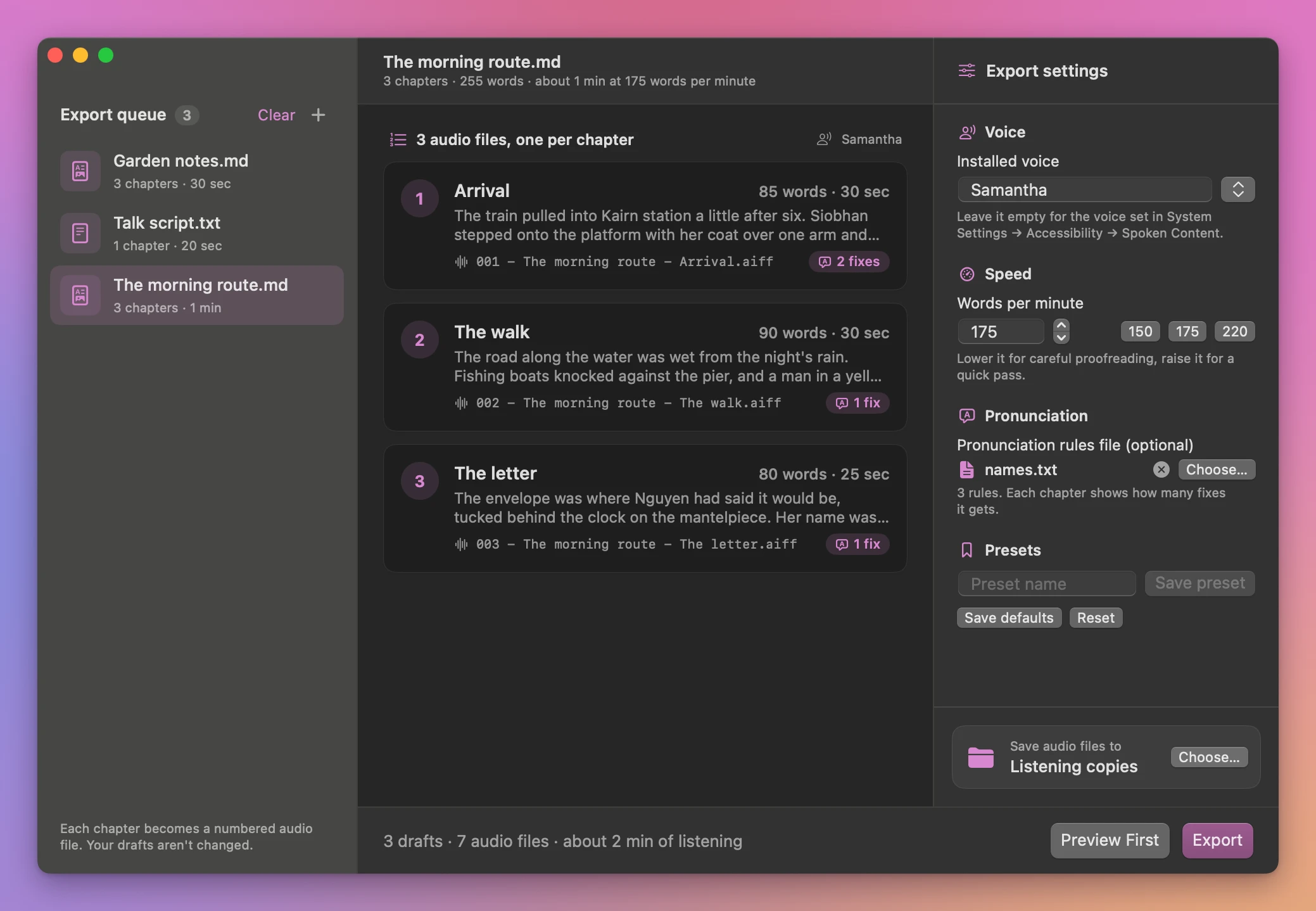
Set Words per minute between 80 and 500. Leave Installed voice empty to hear the system voice, or pick one of the voices installed on your Mac from the list next to the field. For an optional pronunciation file, with one written=spoken pair per line, click Choose… under Pronunciation rules file (optional). The app saves numbered AIFF files.
Click a draft in the queue to see its chapters before you export. Each one shows its first lines, its word count, how long it runs at the speed you set, the file it becomes and how many pronunciation fixes it gets.
Save and find the result
Under Save audio files to, click Choose… to pick an output folder, then click Export. Each draft in the queue gets a colored pill: green when its files are saved, red when it failed. The window then lists the saved files by draft, with their length and a play button. Show in Finder and Show output open the folder in Finder. Existing files are kept and repeated output names get a number.
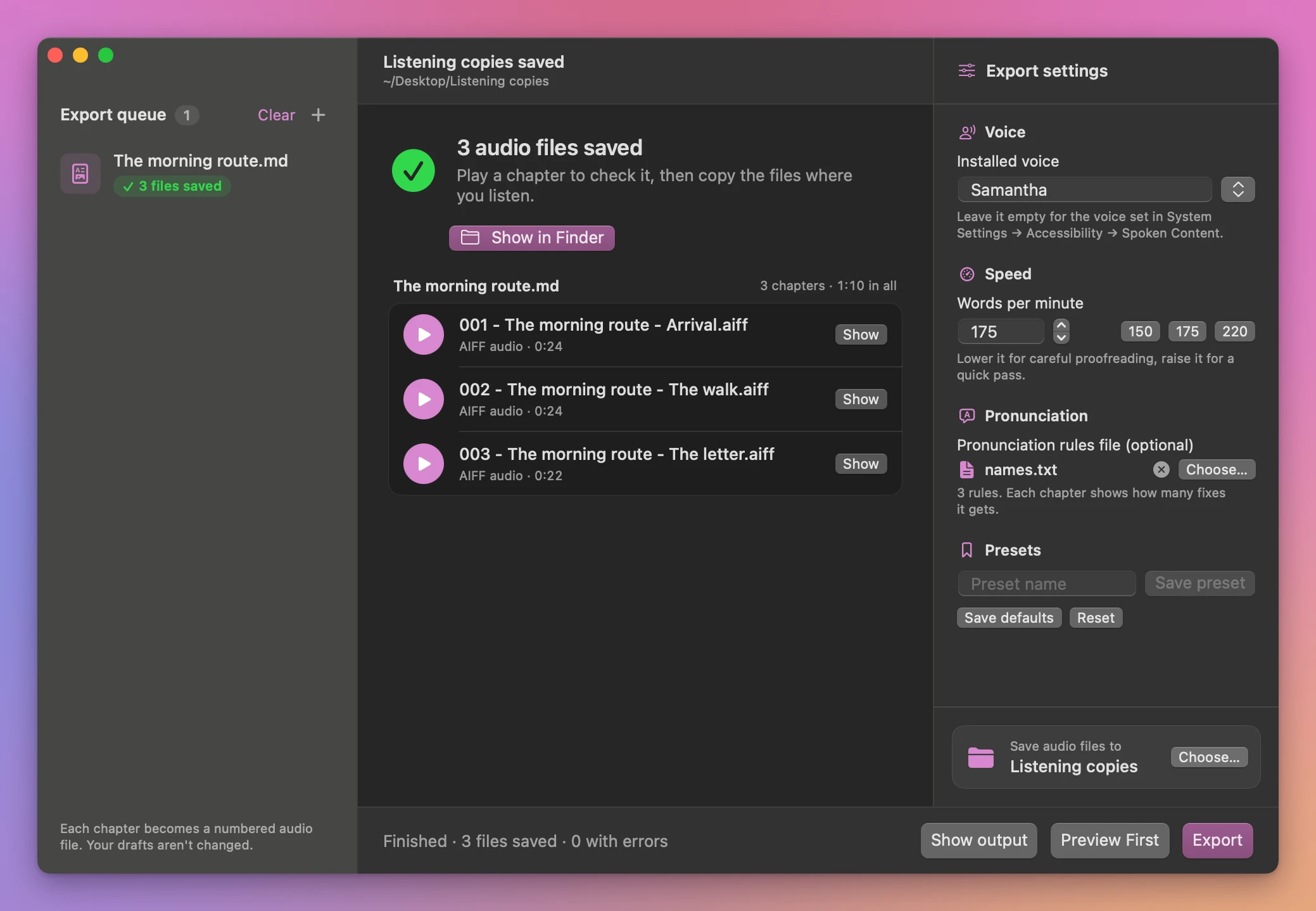
Cancel stops the batch. Copies that finished before cancellation stay in the output folder.
Uses voices already installed on the Mac. The chapter and pronunciation rules are designed for proofreading drafts.
File processing happens on your Mac. The app uses the internet to check for and download updates.
Draft to Listening Copy is $20, a one-time purchase.