How to use Email to PDF Packet
Email to PDF Packet
Turn an exported EML into a PDF with the sender, date, message, a contents page, and attached PDFs and images.
Bought Email to PDF Packet? Sign in with the email you bought it with to download the latest version or ask me a question.
On this page
Install
Email to PDF Packet requires macOS 15 Sequoia or later, on Apple silicon or Intel. Download the ZIP from the order page or your Creem receipt. Unzip it and move the app to Applications.
The app checks for updates once a day. When a new version is ready, click Install and Relaunch. To check anytime, choose Email to PDF Packet → Check for Updates….
If your copy still asks for a key, download the latest version from your purchase page and replace the old app in Applications.
Prepare the files
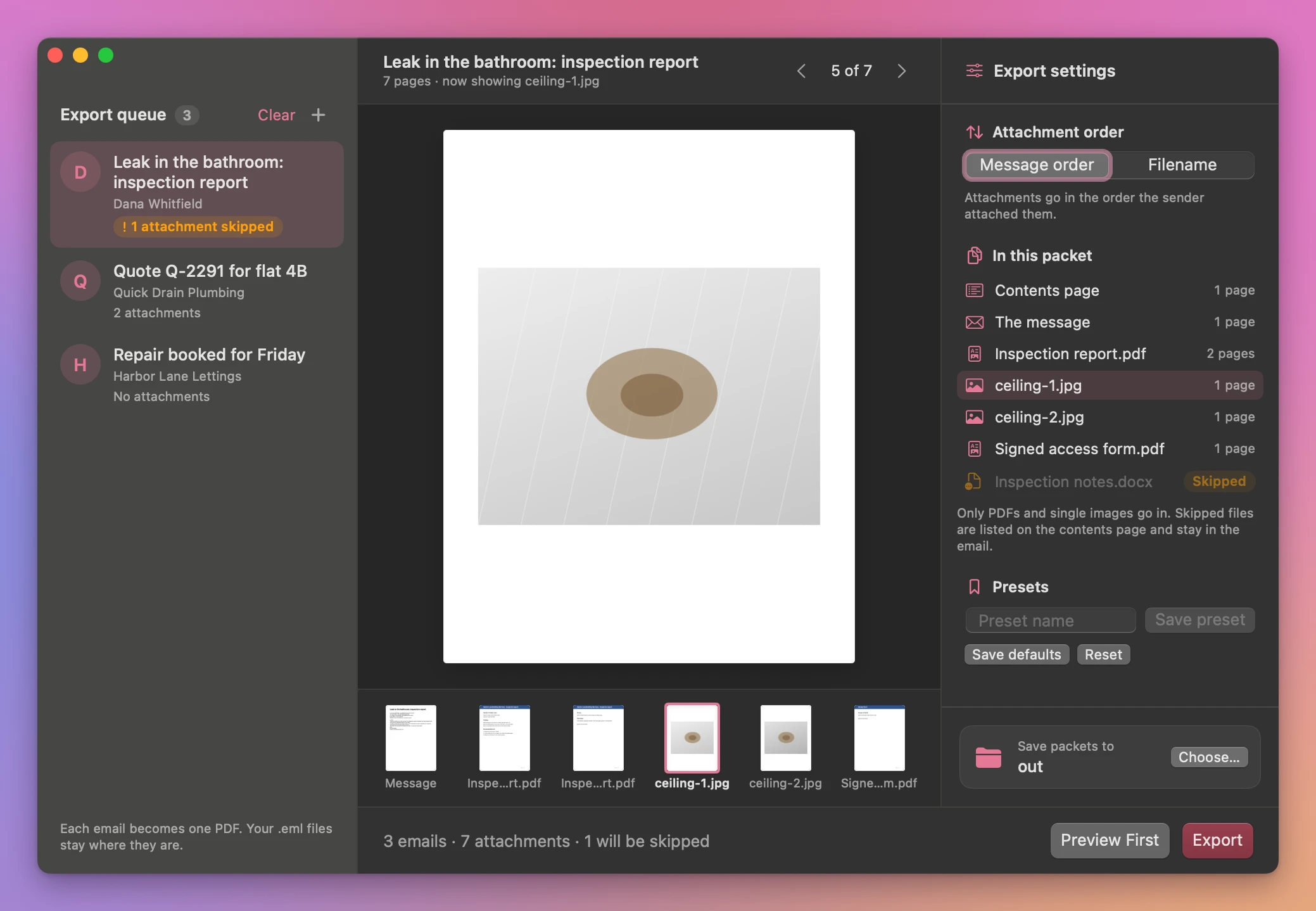
Add exported .eml files with Add EML Files… (the + next to Export queue), or drop them on the window. Each email in the queue shows its subject and sender, how many attachments it has, and an orange label when an attachment can’t go in. Under Attachment order, pick Message order to keep the sender’s order, or Filename to sort the attachments.
Click an email to see its packet, page by page, with a strip of every page underneath. In this packet lists the parts in order: the contents page, the message, then each attachment with its page count. Click a part to jump to its first page. Attachments that aren’t PDFs or single images are marked Skipped.
The contents page lists each attachment and its page count. The message follows, with the sender, recipients, date and subject. The app appends the readable PDF pages and images. If the email contains other files, the contents page lists which ones were skipped.
Save and find the result
Click Choose… next to Save packets to, pick a folder and click Export. When it’s done, a results screen lists every packet with a preview of its first page and an Open button, and the queue labels each email Saved, Failed or saved with skipped files. Show output opens the folder in Finder. Existing files are kept and repeated output names get a number.
Cancel stops the batch. Copies that finished before cancellation stay in the output folder.
The app renders HTML mail as readable text and labels inline body images. It appends unencrypted PDF and single-frame image attachments. Other attachments stay in the original email.
File processing happens on your Mac. The app uses the internet to check for and download updates.
Email to PDF Packet is $20, a one-time purchase.