How to use Photo Date Folder Sorter
Photo Date Folder Sorter
Read capture dates from loose photo exports, preview year/month paths, and copy the photos into a new folder.
Bought Photo Date Folder Sorter? Sign in with the email you bought it with to download the latest version or ask me a question.
On this page
Install
Download the ZIP from the purchase page or your Creem receipt. Unzip it and move Photo Date Folder Sorter to Applications. The app is signed and notarized, and runs on macOS 14 Sonoma or later on Apple silicon and Intel.
The app checks for updates once a day. When a new version is ready, click Install and Relaunch. To check anytime, choose Photo Date Folder Sorter → Check for Updates….
If your copy still asks for a key, download the latest version from your purchase page and replace the old app in Applications.
Choose exported photos
Select Exported photo folder. The app scans loose JPEG, HEIC, TIFF, PNG and recognized RAW filename types for an EXIF capture date that macOS can read.
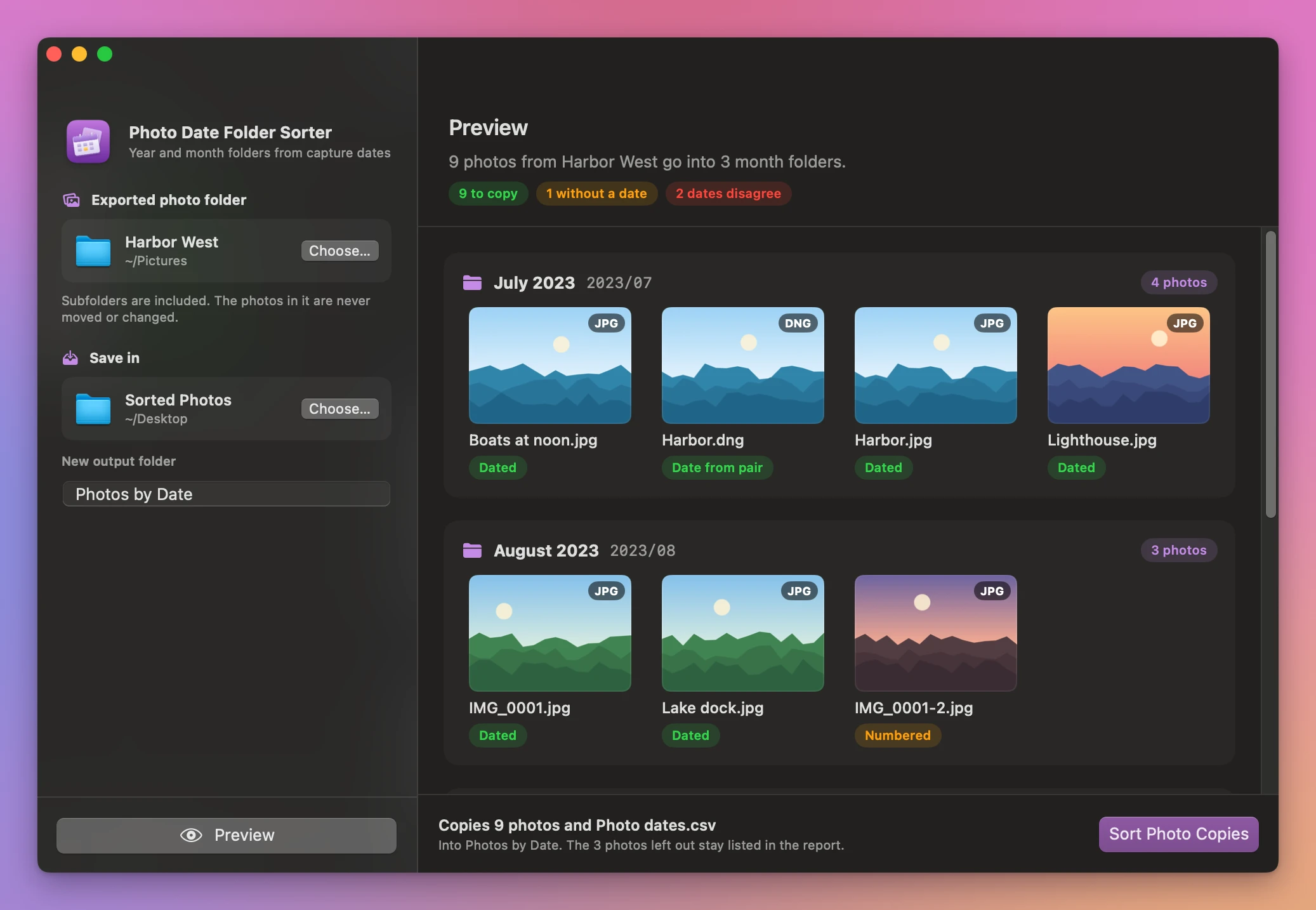
Choose a location under Save in and enter a new output folder name. Click Preview to see a card for each year and month folder, with a thumbnail of each photo that goes in it. A green Dated pill means the photo has its own capture date, and Date from pair means it took the date of its RAW or JPEG twin.
Check paired and undated photos
A RAW and JPEG in the same folder with the same filename stem can share a date. When their dates point to different months, both get a red Dates disagree pill under Not copied. Photos with no readable capture date go there too, with a No date pill, and the report lists them.
The Harbor pair goes into July 2023. A photo with no date remains in the source folder.
Copy into year and month folders
Click Sort Photo Copies. The new folder contains the sorted copies and Photo dates.csv. Colliding filenames get a number at the end, and their pill says Numbered. Your originals stay in their selected folders. The done screen lists each month folder with how many photos it got, then Show in Finder opens it.
If an output folder already exists, choose a different name or location and preview again. Changes to the inputs also require a new preview. Cancel stops the work before delivery.
Photo Date Folder Sorter is $20, a one-time purchase.